
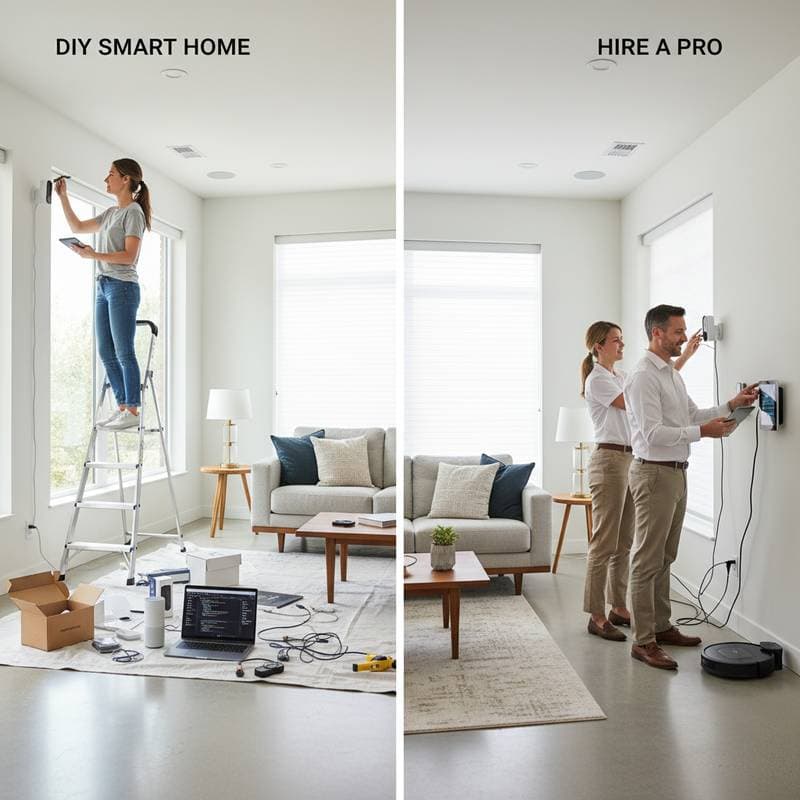
DIY Smart Home Setup: When to Tackle It Yourself or Hire a Professional
Imagine flipping a switch to adjust lights across rooms or locking doors remotely with a tap on your phone. Smart home technology delivers this convenience, turning ordinary spaces into responsive environments. Yet, as you expand from basic bulbs to full automation, you face a key choice: handle the installation solo or enlist a specialist.
This decision hinges on your technical aptitude, the project's scale, and your priorities for reliability and ease. DIY appeals to those seeking control and cost savings, while professionals offer polished results with minimal hassle. Consider your daily routines and future plans to guide the path forward.
Scenarios Where Professional Help Pays Off
Envision a system where lights dim automatically at sunset, thermostats adapt to your schedule, and security cameras alert you instantly. Achieving this level of harmony demands more than connecting devices; it requires thoughtful design. Professionals excel in creating these interconnected networks that enhance daily life without constant oversight.
Navigating Complex Installations
Basic setups like smart plugs or voice-activated speakers often suit DIY efforts. However, ambitious projects involving whole-home lighting, multi-zone climate control, or integrated entertainment systems benefit from expert intervention. These often necessitate running low-voltage wiring through walls, configuring custom automation rules, and linking with existing home infrastructure such as electrical panels or HVAC units.
Expect professional costs to range from $1,500 for entry-level automation covering a few rooms to over $10,000 for comprehensive solutions including motorized blinds, advanced motion sensors, and voice command hubs. Such investments yield dependable performance, as experts test for compatibility and optimize signal strength. This approach minimizes downtime and ensures your system evolves with emerging technologies.
Prioritizing Safety and Regulatory Standards
Smart devices frequently interface with high-voltage elements, from smart breakers to automated garage doors. Incorrect handling risks electrical fires, system failures, or injury. Licensed installers adhere to National Electrical Code guidelines, performing load calculations and grounding checks to safeguard your property.
In older homes, professionals inspect for outdated wiring that could overload circuits when adding smart relays or sensors. They also verify that installations preserve manufacturer warranties, which DIY errors might invalidate. Opt for certified technicians through organizations like CEDIA to guarantee compliance and peace of mind.
Leveraging Specialized Knowledge for Seamless Operation
Experts evaluate your home's layout to recommend optimal device placement, such as positioning hubs for even coverage. They integrate protocols like Zigbee or Z-Wave for stable communication among diverse brands. Training from leaders like Crestron or Savant equips them to program intricate routines, such as syncing lights with music playback or securing doors upon detecting unusual activity.
This foresight reduces troubleshooting needs; for instance, they might install redundant power supplies to prevent outages from affecting critical security features. Over years, such systems require less maintenance, freeing you to enjoy benefits rather than fix glitches.
Addressing Security and Privacy Concerns
Connectivity powers smart homes but exposes them to cyber threats like unauthorized access or data breaches. Amateur setups risk vulnerabilities if devices share networks with sensitive information or run outdated software. Professionals mitigate these by segmenting IoT traffic through VLANs or dedicated routers, adding layers of encryption.
For DIY enthusiasts, implement robust measures: enable two-factor authentication on all accounts, generate unique passwords via a manager tool, and automate firmware checks through app notifications. Add a firewall appliance to monitor inbound traffic and block suspicious patterns. These steps fortify your network, but pros often bundle them into installations for comprehensive protection.
Regular audits reveal weak points; scan for open ports using built-in router tools and update devices quarterly. By treating security as an ongoing process, you maintain privacy while reaping automation's rewards.
Developing Your Approach Through Hands-On Experience
If tinkering with gadgets sparks your interest, launch with straightforward DIY tasks to build confidence. Start by installing battery-operated sensors in a single room, then progress to wired thermostats that learn occupancy patterns. This incremental method lets you gauge your limits without overwhelming commitment.
Many adopt a blended strategy: manage plug-in accessories independently while contracting pros for structural changes like in-wall speakers. Track your progress in a dedicated app or journal, noting integration successes and challenges. As skills sharpen, you might handle 70 percent of expansions solo, reserving experts for high-stakes elements.
This evolution fosters ownership; you understand your system's nuances, enabling quick adjustments like recalibrating motion detectors after furniture shifts.
Practical Strategies for a Flawless Smart Home
- Define your core platform upfront, such as prioritizing Matter-compatible devices for broad interoperability across ecosystems like HomeKit or Alexa.
- Conduct a Wi-Fi heat map survey using free apps to identify coverage gaps, then deploy extenders or mesh systems for consistent connectivity.
- Stick to two or three complementary brands to streamline control; for example, pair Philips Hue lights with a Nest hub for unified commands.
- Maintain an organized inventory: record IP addresses, serial numbers, and pairing codes in a secure digital vault for swift diagnostics.
- Establish a maintenance calendar: allocate time bimonthly for rebooting hubs and verifying battery levels in wireless components.
When doubts arise about circuit compatibility or signal interference, seek a professional assessment. A one-hour site visit, often under $200, can clarify risks and suggest tailored solutions.
Sustaining and Enhancing Your Smart Environment
Once operational, your smart home demands periodic refinement to align with changing needs, such as adding elder-friendly voice controls or energy-saving automations. Monitor usage analytics through dashboard apps to pinpoint inefficiencies, like lights left on in vacant areas. Adjust routines accordingly, perhaps automating fan speeds based on humidity sensors.
Engage with online communities for tips on optimizing scenes, but verify advice against your setup's specifics. This proactive stance ensures your investment delivers lasting value, adapting seamlessly to lifestyle shifts. Ultimately, a well-orchestrated smart home elevates comfort, efficiency, and security without complicating your routine.